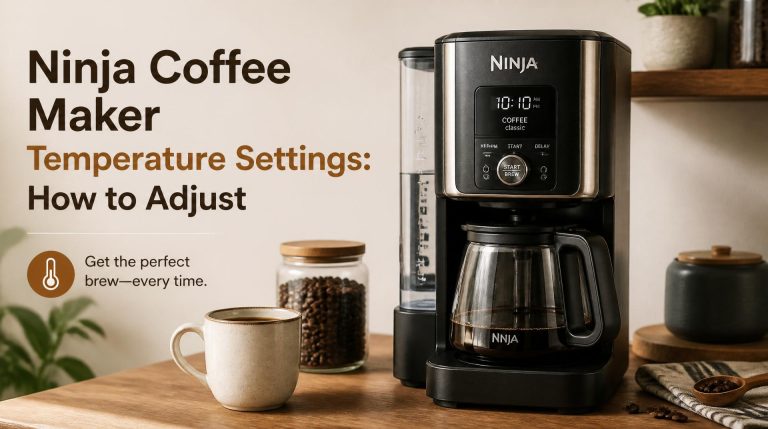
Brewing Over Ice With Your Ninja Coffee Maker: Tips and Tricks
Quick answer
- Use the “Over Ice” brew setting on your Ninja.
- Brew with half the normal water amount.
- Use slightly coarser grounds than usual.
- Chill your serving pitcher.
- Don’t overfill your ice.
- Taste and adjust.
Who this is for
- You’ve got a Ninja coffee maker with an “Over Ice” setting.
- You want that strong, cold brew flavor without dilution.
- You’re tired of weak iced coffee.
If you’re looking to make the perfect iced coffee without dilution, a dedicated Ninja iced coffee maker with an ‘Over Ice’ setting is a game-changer.
No products found.
What to check first
Brewer type and filter type
Most Ninja coffee makers with this feature have a specific setting. Double-check your model’s manual if you’re unsure. You’ll typically use the permanent filter that came with it, or a paper filter if that’s what you prefer. Just make sure it’s seated correctly.
Water quality and temperature
Start with good water. Filtered water makes a noticeable difference in taste, even for hot coffee. For iced coffee, it’s even more critical. Cold water is fine for the reservoir.
Grind size and coffee freshness
This is key. You want a grind that’s a little coarser than your usual drip grind. Think somewhere between coarse sea salt and regular table salt. Freshly ground beans are always best. If your coffee tastes stale, it’ll taste even worse iced.
Coffee-to-water ratio
This is where the “Over Ice” magic happens. You’re essentially brewing a concentrate. For a full carafe, you’ll typically use about half the amount of water you normally would. Check your Ninja’s manual for the exact recommendation for your model.
Cleanliness/descale status
A clean machine makes better coffee, period. If your Ninja is gunked up or needs descaling, your iced coffee will taste off. Run a descaling cycle if it’s been a while.
Step-by-step (brew workflow)
1. Prep your Ninja: Make sure the water reservoir is clean and filled to the desired level for your iced coffee batch. Use the “Over Ice” setting on your machine.
- What “good” looks like: The machine is ready to go, no error lights.
- Common mistake: Forgetting to select the “Over Ice” brew setting. This leads to weak, watery coffee. Always double-check the dial or button.
2. Chill your carafe: Place your empty carafe in the freezer for at least 15-30 minutes before brewing.
- What “good” looks like: The carafe is noticeably cold to the touch.
- Common mistake: Skipping this step. A warm carafe will start melting your ice before you even pour, diluting your brew.
3. Add ice to the carafe: Fill the chilled carafe with ice cubes. Don’t overfill it past the max fill line.
- What “good” looks like: The carafe is filled appropriately with ice, leaving room for the brewed coffee.
- Common mistake: Packing the carafe too full of ice. This can cause overflow when the hot coffee brews.
4. Measure your coffee: Use your preferred coffee beans. Grind them to a slightly coarser setting than you would for hot drip coffee.
- What “good” looks like: A consistent, medium-coarse grind.
- Common mistake: Using a fine espresso grind. This can clog the filter and lead to over-extraction, making the coffee bitter.
5. Add coffee to the brew basket: Place your ground coffee into the permanent filter or a paper filter in the brew basket. Use the recommended amount for your Ninja model, remembering you’re brewing a concentrate. A good starting point is often 2 scoops for a full carafe, but check your manual.
- What “good” looks like: The coffee grounds are evenly distributed.
- Common mistake: Under-filling with coffee. This results in weak, flavorless iced coffee.
6. Place the carafe: Position the ice-filled, chilled carafe onto the warming plate.
- What “good” looks like: The carafe is securely in place.
- Common mistake: Forgetting to put the carafe back after chilling it.
7. Start the brew: Select the “Over Ice” setting and press the brew button.
- What “good” looks like: The machine starts brewing, and you see coffee dripping into the carafe.
- Common mistake: Starting the brew on the wrong setting. Again, make sure “Over Ice” is selected.
8. Wait for completion: Let the brew cycle finish entirely.
- What “good” looks like: The machine stops dripping and indicates the brew is done.
- Common mistake: Trying to pull the carafe out too early. This can cause a mess and incomplete brewing.
9. Stir and taste: Once brewing is complete, give the coffee and ice a good stir. Let it sit for a minute to chill further. Taste it.
- What “good” looks like: The coffee is cold and has a good flavor profile.
- Common mistake: Not stirring. The coffee at the bottom might be warmer than the top.
10. Adjust if needed: If it’s too strong, add a splash of cold water or a few more ice cubes. If it’s too weak, you might need to adjust your coffee-to-water ratio or grind size next time.
- What “good” looks like: Your iced coffee tastes just right.
- Common mistake: Not tasting and adjusting. You’ll never get it perfect if you don’t fine-tune.
Common mistakes (and what happens if you ignore them)
| Mistake | What it causes | Fix |
|---|---|---|
| Using the regular brew setting | Weak, watery, diluted coffee | Always select the “Over Ice” setting on your Ninja. |
| Not chilling the carafe | Ice melts too fast, coffee is diluted | Place the empty carafe in the freezer for at least 15-30 minutes prior. |
| Using a fine coffee grind | Over-extraction, bitter taste, potential clogging | Grind your beans slightly coarser for iced coffee. |
| Overfilling the carafe with ice | Overflow during brewing, messy counter | Fill ice to the max fill line, not beyond. |
| Using room-temperature water in reservoir | Brew might not be hot enough initially, affects taste | Cold or filtered water is fine for the reservoir. |
| Not stirring after brewing | Uneven temperature, coffee at bottom is warmer | Stir the brewed coffee and ice thoroughly before serving. |
| Using stale coffee beans | Flat, dull, unpleasant taste | Use freshly roasted and ground coffee beans. |
| Incorrect coffee-to-water ratio | Too weak or too strong concentrate | Follow your Ninja’s recommended ratio for “Over Ice” brews. |
| Brewing with a dirty machine | Off-flavors, metallic taste | Regularly clean and descale your Ninja coffee maker. |
| Not tasting and adjusting | Consistently subpar iced coffee | Taste your brew and make small adjustments for the next batch. |
Decision rules (simple if/then)
- If your iced coffee tastes weak, then increase the amount of coffee grounds next time because you need a stronger concentrate.
- If your iced coffee tastes bitter, then try a coarser grind or slightly less coffee next time because over-extraction is the likely culprit.
- If your iced coffee is too watery, then ensure you used the “Over Ice” setting and chilled your carafe because these are key to preventing dilution.
- If your Ninja is sputtering or brewing slowly, then check for a clogged filter or grounds that are too fine because this indicates a brewing obstruction.
- If you’re making a single cup, then use the single-serve setting (if available) and adjust ice accordingly because a full carafe ratio won’t work.
- If your coffee tastes “off” or metallic, then it’s time to descale your machine because mineral buildup affects flavor.
- If you prefer a less concentrated brew, then add a bit more water to the reservoir (but still less than a full hot brew) and adjust ice because you can fine-tune the strength.
- If your ice melts too quickly, then ensure your carafe was properly chilled before brewing because a cold vessel slows ice melt.
- If you want to experiment with different beans, then start with your usual “Over Ice” ratio and adjust from there because bean density and roast can affect extraction.
- If you’re in a hurry, then skip the carafe chilling step but expect slightly more dilution because the cold carafe is crucial for minimizing ice melt.
- If your iced coffee is too strong even after adjusting grounds, then add a splash of cold water or a few extra ice cubes after brewing because this is a quick fix.
FAQ
Q: Can I just brew hot coffee over ice?
A: You can, but it usually results in weak, watery coffee. The “Over Ice” setting on your Ninja is designed to brew a stronger concentrate that stands up to the melting ice.
Q: How much coffee should I use for iced coffee?
A: Generally, you’ll use more coffee grounds for iced coffee than for hot coffee, or you’ll use less water. Check your Ninja’s manual for specific recommendations for the “Over Ice” function, as it’s designed to make a concentrate.
Q: My iced coffee is too diluted. What did I do wrong?
A: You likely didn’t use the “Over Ice” setting, didn’t chill your carafe, or used too much water. These factors lead to ice melting too quickly and diluting the brew.
Q: Is it okay to use regular ice cubes?
A: Yes, regular ice cubes are fine. Some people prefer to freeze coffee in ice cube trays to avoid dilution altogether, but standard ice works well with the “Over Ice” method.
Q: How coarse should my grind be for iced coffee?
A: Aim for a grind that’s a bit coarser than your typical drip coffee grind. Think of the texture of coarse sea salt. Too fine a grind can lead to bitterness and potential clogging.
Q: Do I need to descale my Ninja if I only make iced coffee?
A: Yes, descaling is important regardless of how you brew. Mineral deposits can build up over time and affect the taste of your coffee, hot or cold. Follow your Ninja’s descaling instructions.
Q: Can I use flavored coffee beans?
A: Absolutely! Flavored beans can make for some delicious iced coffee creations. Just be aware that the flavor profile might be slightly different when brewed cold.
Q: What if my Ninja doesn’t have an “Over Ice” setting?
A: If your Ninja lacks a dedicated “Over Ice” setting, you’ll need to manually adjust your brewing. Brew a stronger batch of hot coffee (using more grounds and less water) and let it cool completely before pouring over ice.
What this page does NOT cover (and where to go next)
- Specific coffee bean recommendations for iced coffee. (Explore different roasts and origins.)
- Detailed explanations of extraction theory. (Look for resources on coffee science.)
- Advanced iced coffee techniques like cold brew. (Search for guides on dedicated cold brew makers or immersion methods.)
- Troubleshooting specific error codes for your Ninja model. (Refer to your Ninja user manual.)
- Recipes for iced coffee drinks beyond the basic brew. (Explore coffee recipe blogs and sites.)