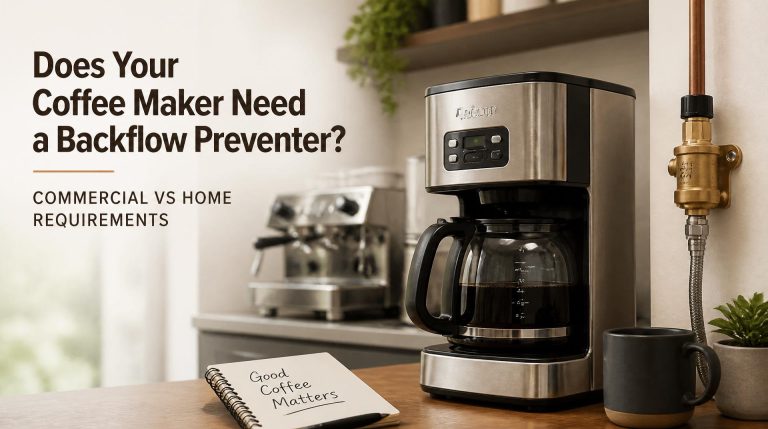
Using Your Morphy Richards Coffee Maker
Quick answer
- Always start with fresh, cold water.
- Use medium-fine grounds for most drip machines.
- Measure your coffee and water accurately for consistent results.
- Preheat your mug for a better drinking experience.
- Clean your Morphy Richards coffee maker regularly.
- If your coffee tastes off, check your water quality and the coffee beans.
Who this is for
- New owners of a Morphy Richards coffee maker looking for basic operational guidance.
- Anyone experiencing inconsistent results with their current Morphy Richards coffee maker.
- Coffee enthusiasts who want to optimize their brewing process with their Morphy Richards machine.
What to check first
Brewer type and filter type
Your Morphy Richards coffee maker likely uses a standard cone or basket filter. Check the model’s manual if you’re unsure. Using the correct filter type is crucial for proper water flow and extraction. Paper filters are common, but some models might be compatible with reusable metal filters.
Water quality and temperature
The water you use significantly impacts the taste of your coffee. For best results, use filtered or bottled water. Avoid using distilled water, as it lacks the minerals that contribute to good flavor. Most Morphy Richards coffee makers heat water to an optimal brewing temperature automatically, typically between 195°F and 205°F.
Grind size and coffee freshness
The grind size should match your brewing method. For most drip coffee makers like those from Morphy Richards, a medium-fine grind is ideal. This resembles granulated sugar. Always use freshly roasted coffee beans and grind them just before brewing for the best flavor. Pre-ground coffee loses its aroma and flavor much faster.
Coffee-to-water ratio
A good starting point for the coffee-to-water ratio is 1:15 to 1:18. This means for every gram of coffee, you use 15 to 18 grams of water. In US customary units, this often translates to about 1 to 2 tablespoons of ground coffee per 6 oz cup of water. Experiment to find what suits your taste.
Cleanliness/descale status
A clean coffee maker is essential for good-tasting coffee. Mineral buildup from water (scale) can affect brewing temperature and water flow, leading to bitter or weak coffee. Check your Morphy Richards manual for specific cleaning and descaling instructions. Regular cleaning prevents these issues.
Step-by-step (brew workflow)
1. Fill the water reservoir: Pour fresh, cold, filtered water into the reservoir.
- What “good” looks like: The water level is clearly visible and within the recommended range on the reservoir.
- Common mistake: Using hot water or water from the tap.
- Avoid it by: Always using cold, fresh, filtered water.
2. Prepare the filter basket: Insert the appropriate filter (paper or reusable) into the filter basket.
- What “good” looks like: The filter is seated correctly and securely.
- Common mistake: Forgetting to insert a filter or using a damaged one.
- Avoid it by: Double-checking that a filter is in place before adding coffee grounds.
3. Add coffee grounds: Measure your freshly ground coffee and add it to the filter.
- What “good” looks like: The grounds are evenly distributed in the filter.
- Common mistake: Overfilling the filter basket, which can cause overflow.
- Avoid it by: Adhering to the recommended coffee-to-water ratio and not exceeding the basket’s capacity.
4. Place the carafe: Ensure the carafe is correctly positioned on the warming plate.
- What “good” looks like: The carafe is snug against the drip-stop mechanism.
- Common mistake: Not placing the carafe properly, leading to coffee spilling.
- Avoid it by: Making sure the carafe is fully seated before starting the brew cycle.
5. Turn on the brewer: Press the power button to begin the brewing cycle.
- What “good” looks like: The indicator light illuminates, and you hear the brewing process begin.
- Common mistake: Forgetting to turn the machine on.
- Avoid it by: Confirming the power light is on after pressing the button.
6. Monitor brewing: Observe the water heating and dripping into the carafe.
- What “good” looks like: A steady stream of coffee fills the carafe.
- Common mistake: Removing the carafe mid-brew (unless your machine has a pause-and-serve feature).
- Avoid it by: Waiting until the brewing cycle is complete, or using the pause feature briefly if available.
7. Allow bloom (if applicable): For some methods, a brief pause after initial wetting can improve extraction.
- What “good” looks like: The grounds expand and release CO2.
- Common mistake: Not allowing this initial wetting phase to occur.
- Avoid it by: Pouring just enough hot water to saturate the grounds and waiting 30 seconds before continuing. (Note: Automatic machines handle this internally).
8. Complete brewing: Wait for the brewing cycle to finish entirely.
- What “good” looks like: The machine stops dripping, and the warming plate activates.
- Common mistake: Assuming brewing is done when it’s still dripping slowly.
- Avoid it by: Listening for the cessation of dripping sounds and observing the machine’s indicator lights.
9. Serve immediately: Pour coffee from the carafe into your preheated mug.
- What “good” looks like: Hot coffee is poured smoothly into your cup.
- Common mistake: Letting coffee sit on the warming plate for too long, which can make it taste burnt.
- Avoid it by: Serving the coffee as soon as brewing is complete or transferring it to a thermal carafe if not drinking immediately.
10. Turn off the brewer: Switch off the machine after serving or when the warming plate cycle is complete.
- What “good” looks like: The indicator light is off, and the machine is cool to the touch.
- Common mistake: Leaving the machine on unnecessarily.
- Avoid it by: Ensuring the machine is powered off to save energy and for safety.
11. Discard grounds and clean: Remove the used filter and grounds, and rinse the filter basket.
- What “good” looks like: The used grounds are disposed of cleanly.
- Common mistake: Leaving old grounds in the filter basket.
- Avoid it by: Promptly removing and discarding used grounds to prevent residue buildup.
12. Wipe down: Clean the carafe and exterior of the coffee maker.
- What “good” looks like: The carafe is spotless, and the exterior is free of drips.
- Common mistake: Neglecting to clean the carafe, leading to stale coffee residue.
- Avoid it by: Washing the carafe with warm, soapy water after each use.
Common mistakes (and what happens if you ignore them)
| Mistake | What it causes | Fix |
|---|---|---|
| Using stale or pre-ground coffee | Flat, dull, or bitter coffee; lack of aroma. | Use freshly roasted beans and grind them just before brewing. |
| Incorrect grind size (too fine/coarse) | Too-fine: bitter, over-extracted coffee; clogged filter. Too-coarse: weak, sour coffee. | Use a medium-fine grind for most drip machines; adjust based on taste. |
| Using poor quality water | Off-flavors (chlorine, mineral tastes), dull coffee. | Use filtered or bottled water. |
| Incorrect coffee-to-water ratio | Too weak or too strong coffee; unbalanced flavor. | Start with 1:15 to 1:18 ratio (e.g., 1-2 tbsp coffee per 6 oz water) and adjust to taste. |
| Not cleaning the machine regularly | Bitter, stale-tasting coffee; slow brewing; machine malfunction. | Follow your Morphy Richards manual for regular cleaning and descaling. |
| Using hot water in the reservoir | Can damage the machine; inconsistent brewing temperature. | Always use cold, fresh water. |
| Removing the carafe mid-brew (if not pause-and-serve) | Coffee spills onto the warming plate or counter; interrupted extraction. | Wait for the brew cycle to complete, or use the pause-and-serve feature only for a short time. |
| Overfilling the filter basket | Coffee grounds overflow, creating a mess and poor extraction. | Measure your coffee grounds and ensure they don’t exceed the basket’s capacity. |
| Leaving coffee on the warming plate too long | Coffee becomes burnt, bitter, and develops an acrid taste. | Serve coffee immediately or transfer to a thermal carafe if not drinking right away. |
| Using the wrong filter type | Poor water flow, grounds in coffee, or incomplete extraction. | Ensure you are using the filter type specified for your Morphy Richards model. |
Decision rules (simple if/then)
- If your coffee tastes bitter, then try a coarser grind because a too-fine grind can lead to over-extraction.
- If your coffee tastes weak and sour, then try a finer grind because a too-coarse grind can lead to under-extraction.
- If your coffee tastes bland, then try using fresher beans or a slightly higher coffee-to-water ratio because freshness and concentration impact flavor.
- If your coffee maker is brewing slowly, then it likely needs descaling because mineral buildup restricts water flow.
- If you notice sediment in your coffee, then check your filter type or ensure the filter is properly seated because a damaged or incorrect filter can let grounds pass through.
- If your coffee maker is making unusual noises, then check the water level in the reservoir because insufficient water can cause pump strain.
- If your brewed coffee is not hot enough, then ensure the machine is heating water properly and consider preheating your mug because a cold mug can quickly lower coffee temperature.
- If your coffee has an off-flavor not related to the beans, then it’s time to clean or descale your machine because residue can impart unwanted tastes.
- If you’re unsure about the exact measurements for your model, then consult your Morphy Richards user manual because it provides model-specific recommendations.
- If your coffee tastes weak after following all steps, then try increasing the amount of coffee grounds slightly because a stronger brew might be preferred.
- If your coffee maker is not turning on, then check that it is properly plugged into a working outlet because power supply is the first step.
FAQ
How often should I clean my Morphy Richards coffee maker?
It’s recommended to clean your coffee maker after each use, at a minimum wiping down the carafe and filter basket. For a deeper clean and descaling, consult your Morphy Richards manual, but generally, descaling every 1-3 months is advisable depending on water hardness and usage.
What kind of coffee beans should I use?
For the best flavor, use freshly roasted whole coffee beans. The type of bean (Arabica, Robusta, blends) and roast level (light, medium, dark) are personal preferences. Experiment to find what you enjoy most.
Can I use pre-ground coffee?
Yes, you can use pre-ground coffee, but it will not yield the same fresh flavor as grinding beans just before brewing. If using pre-ground, ensure it’s the correct grind size for your drip coffee maker (medium-fine).
How do I descale my Morphy Richards coffee maker?
Descaling involves running a mixture of water and a descaling solution (or white vinegar) through the brewing cycle. Always refer to your specific Morphy Richards model’s manual for the correct procedure, as it can vary.
Why is my coffee tasting bitter?
Bitter coffee is often caused by over-extraction, which can result from a grind that is too fine, water that is too hot, or brewing for too long. Check your grind size and ensure your machine is functioning correctly.
My coffee tastes weak. What can I do?
Weak coffee usually means under-extraction. This can happen if the grind is too coarse, the water temperature is too low, or you’re not using enough coffee grounds. Try a finer grind or a slightly higher coffee-to-water ratio.
Is it okay to leave coffee on the warming plate?
While convenient, leaving coffee on the warming plate for extended periods can “cook” the coffee, leading to a burnt or bitter taste. It’s best to drink it fresh or transfer it to a thermal carafe if you won’t be drinking it all immediately.
What’s the best way to store coffee beans?
Store whole coffee beans in an airtight container in a cool, dark place. Avoid the refrigerator or freezer, as moisture and temperature fluctuations can degrade the beans’ quality.
What this page does NOT cover (and where to go next)
- Specific troubleshooting for error codes or electronic malfunctions; consult your Morphy Richards user manual or customer support.
- Advanced brewing techniques like pour-over or French press; these require different equipment and methods.
- Detailed explanations of coffee bean origins, processing methods, or roasting profiles; explore specialized coffee resources for this information.