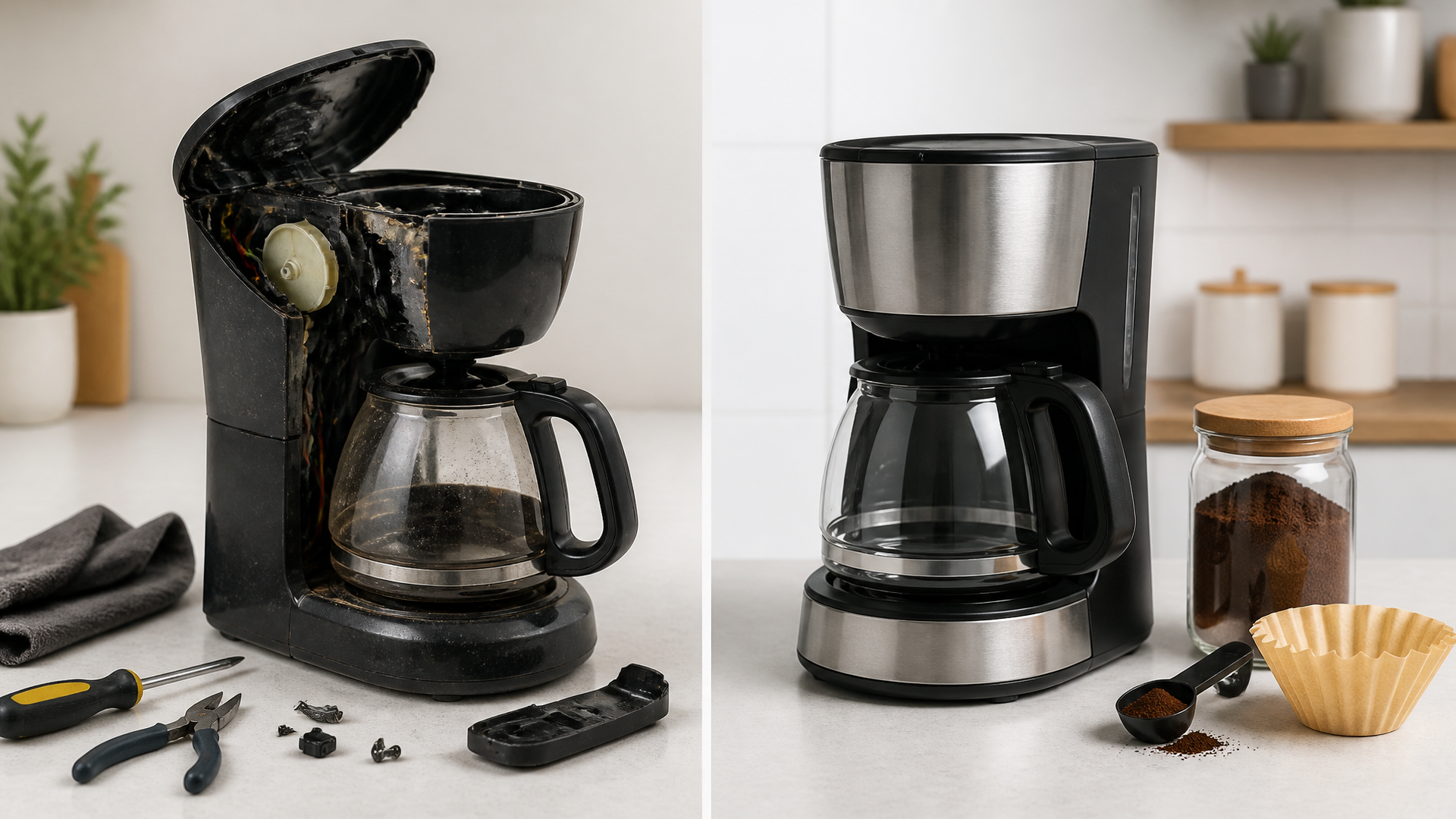
Repair or Replace Your Broken Coffee Maker
Quick answer
- Most minor coffee maker issues can be fixed at home with a little know-how.
- Cleaning and descaling are often the first steps to try.
- If your maker won’t heat water or has electrical issues, replacement might be safer.
- Check your warranty status before attempting major repairs.
- For complex mechanical failures, a professional repair might cost more than a new machine.
- Consider the age and overall condition of your maker when deciding.
What this problem usually is (and is not)
- This is about troubleshooting common coffee maker failures. We’re talking clogs, leaks, and power issues.
- This is NOT about cosmetic damage or user error that’s easily corrected.
- We won’t be diving into deep electrical engineering. Safety first, always.
- This guide focuses on standard drip coffee makers. Espresso machines or complex grinders have different rules.
- It’s not about magically fixing a machine that’s completely dead. Sometimes, it’s time to move on.
- We’re aiming for practical advice, not a full factory reset.
Likely causes (triage list)
Water Flow Issues (Drips, Leaks, Slow Brew)
- Clogged water reservoir or internal tubing: Mineral buildup from tap water is a common culprit.
- How to confirm: Does water struggle to get through? Do you see white, chalky deposits?
- Blocked brew basket or filter holder: Coffee grounds can easily clog this.
- How to confirm: Is the water backing up into the reservoir during brewing?
- Loose or cracked water lines: Less common, but possible if the machine was moved roughly.
- How to confirm: Visible water puddles forming during the brew cycle, not just condensation.
Heating and Power Problems (No Heat, No Power)
- Faulty heating element: This is the part that heats the water. It can burn out.
- How to confirm: The machine powers on, but the water stays cold.
- Tripped GFCI outlet or breaker: Your kitchen outlet might be the issue.
- How to confirm: Check other appliances plugged into the same outlet or circuit.
- Internal wiring damage: Could happen from age, overheating, or a spill.
- How to confirm: The machine is completely dead, no lights, no sounds. (Be cautious here).
Coffee Quality Issues (Weak, Bitter, Off-Taste)
- Old or stale coffee beans: Coffee loses its flavor fast.
- How to confirm: Does the coffee taste flat or lack aroma, even when brewed correctly?
- Incorrect coffee grind size: Too coarse means weak; too fine means bitter.
- How to confirm: Does the coffee bed look muddy (too fine) or like gravel (too coarse)?
- Improper coffee-to-water ratio: Too little coffee means weak brew.
- How to confirm: You’re using the recommended amount of coffee for the water volume.
Machine Setup and General Issues
- Improperly seated carafe or brew basket: Some machines have safety switches that prevent brewing.
- How to confirm: Does the brew cycle start at all? Is there a “lid open” indicator?
- Scale buildup affecting sensors: Mineral deposits can mess with internal workings.
- How to confirm: General sluggishness, inconsistent brewing, or unusual noises.
Fix it step-by-step (brew workflow)
This workflow assumes a standard drip coffee maker with a carafe.
1. Unplug the machine.
- What to do: Always disconnect power before doing anything. It’s just smart.
- What “good” looks like: The machine is safely powered off.
- Common mistake: Forgetting to unplug and getting zapped or causing a short.
2. Empty the coffee maker.
- What to do: Remove any leftover grounds, filters, and water from the reservoir and carafe.
- What “good” looks like: Everything is clean and empty.
- Common mistake: Trying to descale a machine full of old grounds. Messy.
3. Run a cleaning cycle (if available).
- What to do: Many machines have a self-cleaning function. Follow your manual.
- What “good” looks like: The machine runs through its cycle without issue.
- Common mistake: Skipping this if your machine has it, missing an easy fix.
4. Descale the machine.
- What to do: Fill the reservoir with a 1:1 mixture of white vinegar and water. Run a full brew cycle. Then, run 2-3 cycles with plain water to rinse.
- What “good” looks like: Water flows freely, and the vinegar smell is gone after rinsing.
- Common mistake: Using harsh chemicals that can damage the machine or leave a taste. Stick to vinegar or commercial descalers.
5. Clean the brew basket and carafe.
- What to do: Wash these parts thoroughly with soap and water. Use a soft brush for stubborn residue.
- What “good” looks like: No coffee oils or mineral buildup visible.
- Common mistake: Leaving the brew basket in place for too long, leading to mold or gunk.
6. Check the water reservoir.
- What to do: Inspect for any visible clogs or debris at the outlet. You might need a small brush or pipe cleaner.
- What “good” looks like: The water outlet is clear.
- Common mistake: Assuming the descaling cycle got everything if there’s a persistent flow issue.
7. Inspect the filter holder.
- What to do: Ensure no grounds are stuck in the mechanism or around the seal.
- What “good” looks like: The holder is clean and free of obstructions.
- Common mistake: Overfilling the basket, causing grounds to spill into the machine.
8. Reassemble and test.
- What to do: Put everything back together correctly. Run a cycle with just water.
- What “good” looks like: Water heats up and flows through normally. No leaks.
- Common mistake: Rushing the reassembly and missing a part or connection.
9. If still no heat, check power source.
- What to do: Plug a known working appliance into the outlet. Try a different outlet.
- What “good” looks like: Other appliances work, or a different outlet brings your coffee maker to life.
- Common mistake: Blaming the coffee maker when the outlet is the issue.
10. If all else fails, consider replacement.
- What to do: If descaling and cleaning didn’t fix flow, and power is present but no heat, it’s likely an internal component failure.
- What “good” looks like: You’ve exhausted DIY options and are ready for a new, reliable machine.
- Common mistake: Spending more on a repair than a new, often better, coffee maker would cost.
Prevent it next time
- Descale regularly: At least once every 1-3 months, depending on water hardness.
- Use filtered water: Reduces mineral buildup significantly. Store it in a clean, sealed container.
- Clean after every use: Rinse the brew basket and carafe daily.
- Use the correct coffee grind: Medium grind is standard for drip.
- Measure your coffee and water: Aim for a 1:15 to 1:18 ratio (e.g., 1 oz coffee to 15-18 oz water).
- Don’t overfill the brew basket: Leave some room for water to flow.
- Check the filter placement: Ensure it’s seated correctly to avoid grounds escaping.
- Keep the machine clean and dry: Wipe down the exterior regularly.
- Inspect the power cord: Look for fraying or damage.
- Read your manual: It has specific care instructions for your model.
Common mistakes (and what happens if you ignore them)
| Mistake | What it causes | Fix |
|---|---|---|
| Not descaling regularly | Slow brewing, weak coffee, machine damage, no heat | Perform a descaling cycle with vinegar or a descaling solution. |
| Using tap water exclusively | Rapid scale buildup, clogged internal parts | Switch to filtered or distilled water. Descale more frequently. |
| Not cleaning the brew basket daily | Stale coffee taste, mold, clogged drainage | Wash the brew basket and carafe after each use. |
| Using pre-ground coffee that’s too fine | Bitter coffee, grounds in the carafe, clogged filter | Use a medium grind. Grind beans fresh for best flavor. |
| Overfilling the coffee grounds | Grounds overflowing into the carafe, messy machine | Use the recommended amount of coffee for your water volume. |
| Forgetting to unplug before cleaning | Electrical shock, short circuit, damaged machine | Always unplug the machine before any cleaning or maintenance. |
| Using the wrong type of filter | Grounds in coffee, poor flow, leaks | Ensure you’re using the correct size and type of filter for your maker. |
| Ignoring unusual noises or smells | Potential for serious malfunction or safety hazard | Unplug immediately and investigate. Might require professional help. |
| Trying to fix electrical issues yourself | Serious injury, fire hazard, complete machine destruction | If it’s an electrical problem beyond a tripped breaker, replace the unit. |
| Not reading the owner’s manual | Incorrect use, missed maintenance steps, voided warranty | Familiarize yourself with your specific model’s care and operation. |
Decision rules (simple if/then)
- If your coffee maker won’t turn on, then check the power outlet and the machine’s plug first because these are the most basic connection points.
- If water is not heating up but the machine powers on, then descaling is the first step to try because mineral buildup can affect the heating element.
- If your coffee tastes weak, then check your coffee-to-water ratio and grind size because these directly impact extraction.
- If you see coffee grounds in your carafe, then ensure your filter is seated correctly and you aren’t using too fine a grind because this is a common cause of grounds bypassing the filter.
- If there’s a leak during brewing, then check the carafe seal and the brew basket seating because improper placement can cause water to escape.
- If descaling doesn’t improve slow brewing, then inspect the water reservoir outlet for clogs because sometimes mineral deposits are stubborn.
- If the machine is sparking or smells burnt, then unplug it immediately and do not use it again because this indicates a serious electrical fault.
- If your machine is more than 5 years old and requires significant repair, then consider replacing it because newer models are often more energy-efficient and reliable.
- If your warranty is still valid and the issue is a manufacturing defect, then contact the manufacturer for repair or replacement because this is usually covered.
- If you’re experiencing consistent issues after trying all basic fixes, then it’s likely time to invest in a new coffee maker because some problems are simply not cost-effective to repair.
FAQ
- How often should I descale my coffee maker?
Descale every 1-3 months, depending on how hard your tap water is. If you use filtered water, you can stretch this out.
- Can I use anything other than vinegar to descale?
Yes, commercial descaling solutions are available and often work well. Avoid harsh chemicals like bleach.
- My coffee maker is leaking. What’s wrong?
Check if the carafe is properly seated and the brew basket isn’t overflowing. If it’s leaking from the base, it might be an internal seal issue.
- Why is my coffee tasting bitter?
This is usually due to a grind that’s too fine, water that’s too hot, or not cleaning the machine enough. Try a coarser grind or a different coffee.
- My coffee maker just stopped working. What do I do?
First, check if it’s plugged in and if the outlet is working. If it has power but no function, it might be a more serious internal issue.
- Is it worth repairing an old coffee maker?
Generally, if the repair cost is more than half the price of a new, comparable machine, or if it’s an electrical issue, replacement is usually the better route.
- How do I clean the inside of the water reservoir?
After descaling, you can use a small brush or pipe cleaner to gently scrub any remaining deposits from the outlet point.
- What does it mean if my coffee maker is “drip-stopping”?
This usually refers to a feature that stops the flow of coffee when you remove the carafe, preventing spills. If it’s stuck, it might need cleaning or repair.
What this page does NOT cover (and where to go next)
- Advanced electrical diagnostics: If your machine has electrical faults beyond a tripped breaker, it’s best to replace it for safety.
- Espresso machine or commercial brewer repair: These complex machines require specialized knowledge and tools.
- Specific brand or model troubleshooting: Your owner’s manual is the best resource for model-specific issues.
- Replacing internal components: Unless you have experience with appliance repair, this can be dangerous and difficult.
- Warranty claims: If your machine is under warranty, contact the manufacturer directly.