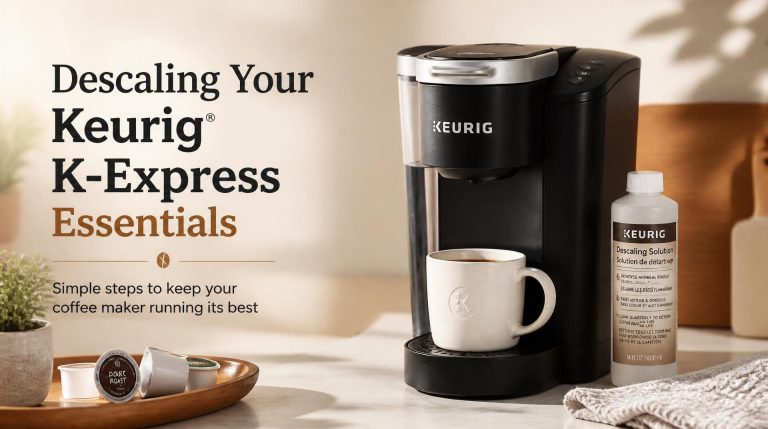
Adjusting Coffee Brew Size on Your Keurig
Quick Answer
- Most Keurig models allow you to select a brew size directly from the control panel.
- Common brew size options include 6, 8, and 10 oz.
- Some models offer a “Strong” brew option that can affect extraction but not necessarily the volume.
- To reduce the amount of coffee, simply choose a smaller pre-set brew size.
- If your Keurig doesn’t have explicit size options, you may need to manually stop the brew cycle.
- Always check your specific Keurig model’s manual for exact features and instructions.
Who This Is For
- The single coffee drinker: You want a smaller cup to avoid waste or for a lighter caffeine intake.
- The budget-conscious brewer: You’re looking to save on K-Cups or grounds by brewing only what you need.
- The experimenter: You’re curious about how different brew sizes affect the taste and strength of your coffee.
What to Check First
Brewer Type and Filter Type
Before adjusting brew size, understand your Keurig’s capabilities. Is it a basic model, a K-Elite, or a K-Supreme? This determines the available settings. For those using a reusable filter and ground coffee, ensure the filter is compatible and properly seated. A loose filter can lead to grounds in your cup, regardless of brew size.
Water Quality and Temperature
While not directly related to brew size, water quality significantly impacts taste. Using filtered water is recommended to avoid mineral buildup and off-flavors. Keurig machines heat water to a specific temperature for brewing, typically between 190-195°F. You generally cannot adjust this temperature on most home models, but ensuring the machine is functioning correctly is key to a good brew.
Grind Size and Coffee Freshness
If you’re using a reusable K-Cup filter, the grind size is crucial. A medium grind is usually best for most Keurigs. Too fine a grind can clog the filter and lead to over-extraction or a slower brew. Coffee freshness also plays a vital role. Use freshly roasted and ground beans for the best flavor, as stale coffee will taste dull regardless of the volume brewed.
Coffee-to-Water Ratio
The concept of a coffee-to-water ratio is more applicable when using a reusable filter. For a standard 8 oz cup, a common starting point is around 15-18 grams of coffee grounds. If you’re reducing your brew size to 6 oz, you’ll want to proportionally reduce the amount of coffee grounds to maintain a balanced extraction. Overfilling the reusable filter can lead to channeling and weak coffee.
If you’re using a reusable filter and want to adjust your brew size, consider using high-quality coffee grounds like these. They offer a great balance for various brew strengths.
No products found.
Cleanliness/Descale Status
A clean Keurig brews better coffee. Mineral deposits can affect water flow, temperature, and ultimately, the taste of your brew. If your Keurig has a “descale” indicator light, address it promptly. Regularly cleaning the needle, brew head, and drip tray will also contribute to a cleaner-tasting cup, irrespective of the amount of coffee you make.
Step-by-Step (Brew Workflow for Reducing Brew Size)
1. Ensure the Keurig is powered on and ready.
- What “good” looks like: The power light is on, and the display or indicator lights are active.
- Common mistake: Forgetting to turn the machine on or assuming it’s ready when it’s still heating.
- How to avoid: Wait for the machine to indicate it’s ready (often a solid light or a ready message) before proceeding.
2. Place your mug on the drip tray.
- What “good” looks like: The mug is stable and centered under the dispenser.
- Common mistake: Using a mug that is too tall or too short, leading to splashing or insufficient space.
- How to avoid: Ensure your mug fits comfortably and can catch the full stream of coffee. Remove the drip tray if needed for taller travel mugs.
3. Insert your K-Cup or reusable filter.
- What “good” looks like: The K-Cup or filter is seated securely, and the handle/lid is closed completely.
- Common mistake: Not pushing the K-Cup all the way down or leaving the lid slightly ajar.
- How to avoid: Listen for a click or feel a firm closure. Ensure no part of the K-Cup is obstructing the lid.
4. Select your desired brew size.
- What “good” looks like: You have pressed the button corresponding to a smaller volume (e.g., 6 oz or 8 oz).
- Common mistake: Accidentally selecting a larger size than intended.
- How to avoid: Double-check the illuminated button or display before proceeding.
5. If using a reusable filter, ensure the correct amount of coffee grounds are added.
- What “good” looks like: The grounds fill the filter to the recommended level without being over-packed.
- Common mistake: Overfilling the filter, which can cause weak coffee or clogging.
- How to avoid: Use a scale for accuracy or follow the fill line indicated on your reusable filter. A common starting point is 15-18 grams for an 8 oz brew.
6. Press the “Brew” or “Start” button.
- What “good” looks like: The brewing cycle begins, and coffee starts dispensing into your mug.
- Common mistake: Pressing the wrong button or not pressing it firmly enough.
- How to avoid: Ensure you are pressing the designated brew initiation button.
7. Observe the brewing process.
- What “good” looks like: The coffee flows steadily into the mug until the selected volume is dispensed.
- Common mistake: The brew cycle stops prematurely or takes an unusually long time.
- How to avoid: If the brew stops early, check if a smaller size was accidentally selected or if there’s a blockage. If it’s too slow, the grind might be too fine, or the machine may need descaling.
8. If your model lacks size options, manually stop the brew.
- What “good” looks like: You press the “Stop” or “Cancel” button when your mug is at the desired fill level.
- Common mistake: Forgetting to stop the brew, resulting in a full mug of weak coffee or overflow.
- How to avoid: Stay near the machine and be ready to press the stop button as soon as your mug reaches the desired volume.
9. Remove your mug carefully.
- What “good” looks like: The mug is removed without spilling hot coffee.
- Common mistake: Pulling the mug out too quickly or at an angle, causing drips.
- How to avoid: Lift the mug straight up and be mindful of the hot liquid.
10. Dispose of the used K-Cup or grounds.
- What “good” looks like: The used K-Cup is removed cleanly, or the grounds are emptied from the reusable filter.
- Common mistake: Leaving used K-Cups in the machine, which can dry out and become difficult to remove.
- How to avoid: Remove and discard the K-Cup immediately after brewing. Rinse reusable filters promptly.
Common Mistakes (and What Happens If You Ignore Them)
| Mistake | What It Causes | Fix |
|---|---|---|
| Not selecting a smaller brew size | Brewing a larger volume of coffee than desired, leading to weaker flavor or wasted coffee. | Always choose the desired cup size (e.g., 6 oz, 8 oz) from the Keurig’s control panel before brewing. |
| Using too much coffee in a reusable filter | Over-extraction, leading to bitter coffee, or under-extraction and weak coffee if grounds are packed too tight. | Use the recommended amount of coffee grounds for your chosen brew size. Weighing grounds (15-18g for 8oz) is most accurate. Do not pack tightly. |
| Using too little coffee in a reusable filter | Under-extraction, resulting in weak, watery, or sour coffee. | Increase the amount of coffee grounds slightly. Experiment with small increments until the desired strength is achieved. |
| Using a grind size that’s too fine | Clogging the filter, slowing down the brew, and potentially causing over-extraction (bitter taste). | Use a medium grind. If using a reusable filter, adjust to a coarser grind if you experience slow brewing or bitterness. |
| Using a grind size that’s too coarse | Under-extraction, leading to weak, watery coffee. | Use a medium grind. If the coffee is consistently weak, try a slightly finer grind. |
| Not cleaning the Keurig regularly | Mineral buildup affecting taste, water flow, and machine performance. | Follow the manufacturer’s descaling instructions. Clean the needle, brew basket, and exterior regularly. |
| Using stale coffee beans/grounds | Flat, dull, or off-flavors in the coffee, regardless of brew size. | Use freshly roasted and ground coffee. Store beans in an airtight container away from light and heat. Grind just before brewing. |
| Not seating the K-Cup properly | Leaking water, grounds in the coffee, or an incomplete brew cycle. | Ensure the K-Cup is fully inserted and the lid is firmly closed. You should feel a secure seal. |
| Using tap water with high mineral content | Scale buildup in the machine, affecting taste and longevity. Can also impart an off-flavor. | Use filtered or bottled water. This is crucial for both taste and machine maintenance. |
| Forgetting to stop a manual brew | Overfilling the mug, creating a mess, and diluting the coffee significantly. | Stay near the machine when brewing without a pre-set size and be ready to press “Stop” or “Cancel.” |
Decision Rules
- If your Keurig has pre-set brew size buttons (e.g., 6, 8, 10 oz), then simply select the smallest desired size to reduce the amount of coffee brewed because this is the intended function of those buttons.
- If your Keurig does not have pre-set brew size buttons, then you will need to manually stop the brew cycle because there is no automatic volume control.
- If you are using a reusable filter and want a smaller brew size, then proportionally reduce the amount of coffee grounds because this maintains the coffee-to-water ratio for balanced extraction.
- If your coffee tastes weak after reducing the brew size, then try using slightly more coffee grounds in your reusable filter because you may have reduced the coffee amount too much relative to the water.
- If your coffee tastes bitter after reducing the brew size, then try using slightly less coffee grounds in your reusable filter or check your grind size because over-extraction is more noticeable in smaller volumes.
- If your Keurig brew cycle is running slower than usual, then check if the grind size is too fine or if the machine needs descaling because these are common causes of slow brewing.
- If you notice grounds in your coffee, then check the K-Cup seating or the reusable filter’s integrity and coffee packing because this indicates a breach in the brewing mechanism.
- If you want a stronger taste without changing the volume, then look for a “Strong” brew setting on your Keurig model, if available, because this setting adjusts brew time or water flow, not the final volume.
- If you are unsure about the exact brew size options for your specific Keurig model, then consult your owner’s manual because features vary significantly between models.
- If you want to ensure the best flavor regardless of brew size, then always use filtered water and freshly ground coffee because these are foundational to good coffee taste.
FAQ
Can I make a smaller cup of coffee with my Keurig?
Yes, most Keurig models allow you to select a specific brew size, such as 6 oz or 8 oz, directly from the control panel. Choose the smallest available option to get a smaller cup.
What if my Keurig doesn’t have size selection buttons?
If your Keurig lacks dedicated brew size buttons, you can usually achieve a smaller cup by manually stopping the brew cycle. Press the “Stop” or “Cancel” button when your mug reaches the desired fill level.
How much coffee should I use in a reusable K-Cup for a smaller brew?
For a smaller brew, like 6 oz, you’ll want to use proportionally less coffee grounds than for an 8 oz cup. A good starting point is around 12-15 grams for a 6 oz brew, but this can vary. Experiment to find your preferred strength.
Will reducing the brew size make my coffee stronger?
Reducing the brew size will concentrate the coffee if the amount of grounds remains the same. However, for a balanced taste, it’s best to adjust the coffee-to-water ratio by using fewer grounds for a smaller brew. Some Keurigs have a “Strong” setting that can increase perceived strength without altering volume.
How do I prevent my Keurig from making weak coffee when I select a smaller size?
To avoid weak coffee, ensure you’re using enough coffee grounds in your reusable filter for the selected brew size. If using K-Cups, stick to the pre-set sizes or use the “Strong” option if available. A grind that is too coarse can also lead to weak coffee.
Is it better to use a smaller brew size or the “Strong” setting?
The “Strong” setting on many Keurigs is designed to extract more flavor by adjusting brew time or water flow, potentially leading to a more robust cup without changing the volume. Selecting a smaller brew size reduces the overall volume of coffee. For a stronger taste in a smaller volume, you might use fewer grounds and select a smaller size, or use the “Strong” setting with your preferred size.
What happens if I use a K-Cup designed for a larger brew size but select a smaller volume?
If you select a smaller brew size (e.g., 6 oz) with a K-Cup intended for a larger volume (e.g., 10 oz), the coffee will likely be weaker because less water passes through the coffee grounds than the K-Cup is optimized for.
Does descaling affect brew size?
Descaling primarily affects the machine’s internal water flow and temperature, ensuring it operates optimally. While it doesn’t directly change the programmed brew size options, a clean machine can lead to a more consistent and accurate brew volume and better extraction.
What This Page Does Not Cover (and Where to Go Next)
- Specific K-Cup pod brands and their optimal brew sizes: Information on how individual K-Cup brands might perform best at different volumes.
- Advanced water temperature adjustments: Details on modifying water temperature beyond what the Keurig offers, which typically requires specialized equipment.
- Detailed coffee bean origin and roast profiles: Guidance on selecting specific coffee beans for different brewing methods or taste preferences.
- Troubleshooting electrical issues or major component failures: Instructions for repairing a malfunctioning Keurig beyond basic cleaning and maintenance.
- Comparisons of Keurig models and their specific features: A deep dive into the differences between various Keurig brewers, including their brew size capabilities.