
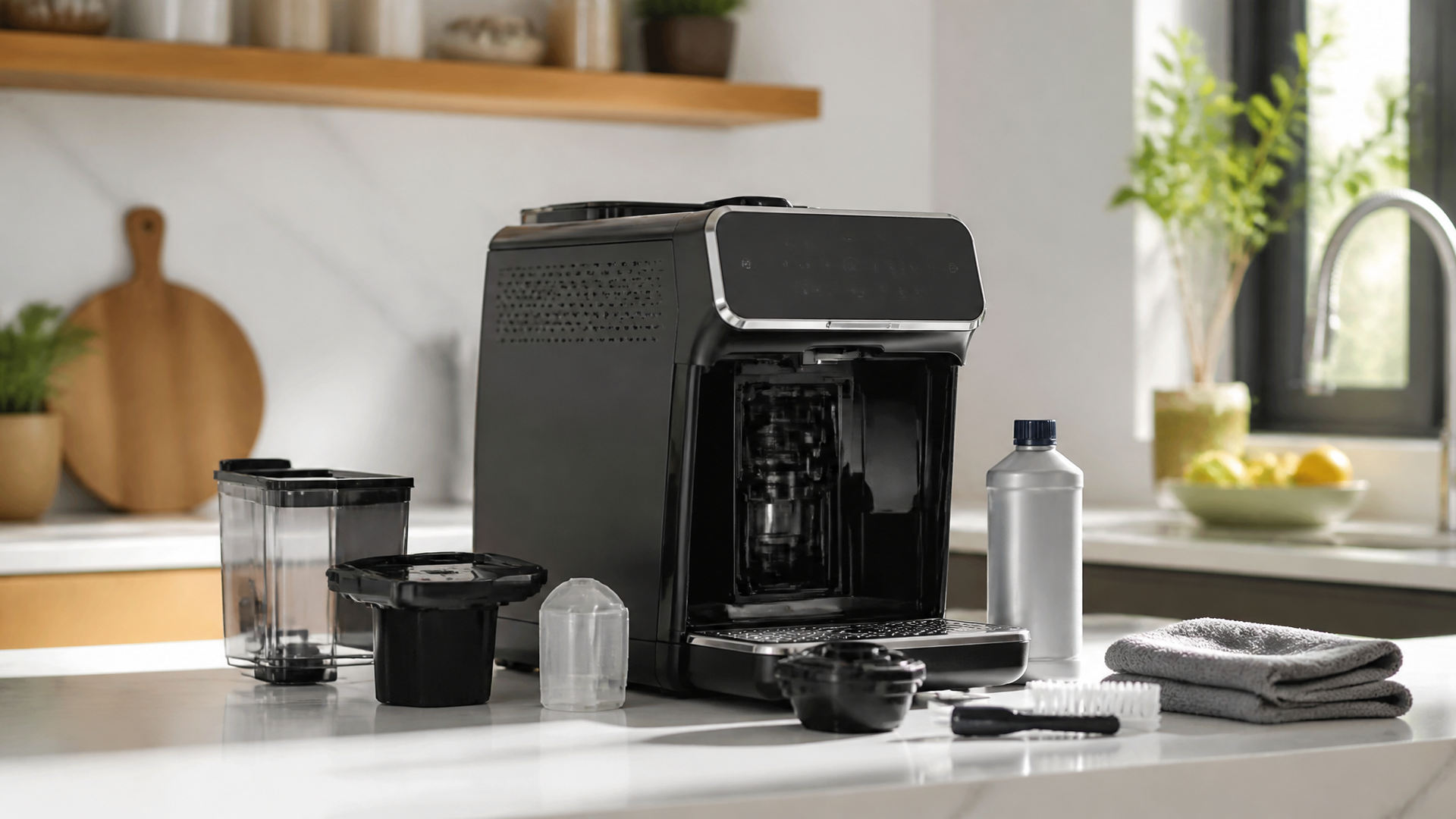
A Guide to Cleaning Your Philips Coffee Maker
Quick Answer
- Daily Rinse: Always rinse the brew group and carafe after each use.
- Weekly Wipe-down: Clean the exterior and drip tray weekly.
- Monthly Descale: Descale your machine every 1-3 months, depending on water hardness.
- Brew Group Deep Clean: Perform a deep clean of the brew group monthly.
- Filter Check: Replace water filters regularly, as recommended.
- Follow Manual: Consult your specific Philips model’s manual for detailed instructions.
Who This Is For
- Anyone who owns a Philips coffee maker and wants better-tasting coffee.
- Home baristas looking to extend the lifespan of their machine.
- People who want to avoid common coffee machine malfunctions.
What to Check First
Before diving into cleaning, let’s make sure we’re on the same page about your setup.
Brewer Type and Filter Type
Is it a drip machine, an espresso maker, or a pod system? Each has slightly different needs. And what kind of filter are you using? Paper, permanent metal, or a water filter cartridge? Knowing this helps tailor your cleaning approach. A clogged permanent filter is different from a neglected water filter.
Water Quality and Temperature
Hard water? That’s a big one for scale buildup. If your tap water is rough, you’ll need to descale more often. Also, always use fresh, cold water for brewing. Hot water from the tap can contain impurities and affect taste.
Grind Size and Coffee Freshness
While not directly a cleaning issue, it impacts how your machine performs. Too fine a grind can clog filters and brew groups. Stale coffee just tastes bad, no matter how clean your machine is. Use freshly roasted beans, ground just before brewing.
Coffee-to-Water Ratio
Again, not a cleaning thing, but important for good coffee. Too much coffee can lead to clogs and a bitter brew. Too little, and it’s weak. Stick to the recommended ratios for your machine.
Cleanliness/Descale Status
When was the last time you really cleaned it? Is there visible gunk? Is the descaling light on? If you’re unsure, it’s probably time for a good scrub and a descaling cycle. Better safe than sorry.
Step-by-Step: How to Clean Your Philips Coffee Maker
Let’s get this thing spick and span. This is a general workflow; always check your manual.
1. Unplug the Machine: Safety first, always. Make sure the power is off before you start poking around.
- What “good” looks like: The machine is completely dead and cool to the touch.
- Common mistake: Forgetting to unplug and getting a shock or damaging the electronics. Always double-check.
2. Empty and Rinse the Drip Tray and Grounds Container: These are the dirtiest parts. Remove them and give them a good wash.
- What “good” looks like: Tray and container are free of coffee grounds and residue.
- Common mistake: Just rinsing them under the tap without soap. Coffee oils build up and get rancid. Use a little dish soap.
3. Rinse the Brew Group (if removable): Many Philips models have a removable brew group. Take it out and rinse it thoroughly under warm running water.
- What “good” looks like: All visible coffee grounds and oils are washed away.
- Common mistake: Not getting into all the nooks and crannies. Coffee grounds love to hide. Use a soft brush if needed.
4. Clean the Exterior: Wipe down the outside of the machine with a damp cloth.
- What “good” looks like: The machine looks clean, no smudges or coffee stains.
- Common mistake: Using harsh chemicals or abrasive pads that can scratch the finish. Stick to a mild detergent or just water.
5. Clean the Water Tank: Empty any old water and rinse the tank.
- What “good” looks like: The tank is clear and free of any film or residue.
- Common mistake: Leaving water in the tank for too long, which can encourage mold or bacterial growth. Empty it after each use if possible.
6. Descale the Machine: This is crucial. Follow your Philips model’s specific descaling instructions. This usually involves running a descaling solution through the machine.
- What “good” looks like: The descaling cycle completes without errors, and the machine rinses thoroughly.
- Common mistake: Using vinegar instead of a proper descaling solution. Vinegar can damage internal parts and leave a strong taste. Philips recommends their specific solution or a compatible one.
7. Rinse Cycle: After descaling, run at least two full cycles with fresh water only.
- What “good” looks like: No lingering smell or taste of the descaling solution.
- Common mistake: Skipping this step. You don’t want your morning coffee to taste like cleaning solution.
8. Reassemble: Put all the cleaned parts back into the machine.
- What “good” looks like: Everything fits snugly and is in its correct place.
- Common mistake: Forcing parts that don’t seem to fit. Double-check the manual to ensure correct placement.
9. Brew a Test Cup: Make a cup of coffee (or just hot water) to ensure everything is working correctly and tastes clean.
- What “good” looks like: The coffee tastes as it should, without any off-flavors.
- Common mistake: Not doing a final test and discovering a problem with your first real cup of the day.
Common Mistakes (and What Happens If You Ignore Them)
| Mistake | What it Causes | Fix |
|---|---|---|
| Skipping daily rinses | Coffee oils build up, rancid taste, potential clogs | Rinse brew group and carafe immediately after each use. |
| Not descaling regularly | Mineral buildup, slow brewing, machine failure | Descale every 1-3 months, or when the indicator light comes on. Use recommended descaling solution. |
| Using dirty water | Off-flavors, scale buildup | Always use fresh, cold filtered water. |
| Using abrasive cleaners or tools | Scratched surfaces, damaged internal components | Use soft cloths and mild soap. Consult manual for approved cleaning agents. |
| Forgetting to unplug the machine | Electrical shock, damage to machine | Always unplug before deep cleaning or disassembling. |
| Not cleaning the brew group properly | Clogged brew unit, weak coffee, machine errors | Remove and rinse brew group weekly, deep clean monthly. Ensure it’s dry before reinserting. |
| Ignoring descaling indicator lights | Severe scale buildup, reduced performance, breakdowns | Address the indicator light promptly by descaling. |
| Using stale coffee beans | Bitter, flat, or unpleasant coffee taste | Use fresh beans and grind them just before brewing. |
| Not replacing water filters | Increased scale buildup, poor water taste | Replace water filters as recommended by the manufacturer (typically every 2 months). |
| Leaving wet grounds in the container | Mold growth, unpleasant odors | Empty and rinse the grounds container after each use. |
Decision Rules
Here’s a quick way to figure out what your Philips coffee maker needs.
- If the descaling indicator light is on, then you need to descale the machine because mineral buildup is affecting performance.
- If your coffee tastes bitter or burnt, then check the brew group for clogs or the machine for a descaling need because residue can alter extraction.
- If water is leaking from the base, then check the drip tray and water tank seals for damage or improper placement because a seal issue will cause leaks.
- If the coffee is weak or brews slowly, then check the grind size and the brew group for clogs because these affect water flow.
- If you notice a slimy film in the water tank, then clean the tank thoroughly with soap and water because stagnant water breeds bacteria.
- If you use your machine daily, then rinse the brew group and carafe daily because oils and grounds can quickly go rancid.
- If you live in an area with hard water, then you should descale more frequently (e.g., every 4-6 weeks) because hard water causes faster scale accumulation.
- If the machine is making unusual noises, then it might need descaling or a component might be blocked because internal blockages can strain the pump.
- If you’ve just bought the machine, then read the manual thoroughly first because each model has specific cleaning and maintenance requirements.
- If your coffee has a chemical taste, then run several rinse cycles with fresh water because you might have residual cleaning solution or descaler.
FAQ
How often should I descale my Philips coffee maker?
Generally, every 1-3 months. This depends heavily on your water hardness and how much you use the machine. Always defer to your machine’s indicator lights and your manual.
Can I use vinegar to descale my Philips coffee maker?
No, Philips strongly advises against using vinegar. It can damage the internal components and leave a persistent odor and taste. Use a recommended Philips descaling solution or a compatible alternative.
What’s the best way to clean the brew group?
Remove it, rinse it thoroughly under warm running water to get rid of all coffee grounds and oils. Let it air dry completely before reinserting. A monthly deep clean is usually sufficient.
My Philips coffee maker is brewing slowly. What’s wrong?
This is usually a sign of scale buildup or a clogged brew group. Try descaling the machine first. If that doesn’t help, check the brew group for blockages.
How do I clean the milk frother on my Philips machine?
For automatic frothers, rinse the steam wand immediately after each use. Disassemble and clean the frothing nozzle regularly according to your manual’s instructions. For manual wands, wipe them clean and run steam through them.
Is it okay to put parts of my coffee maker in the dishwasher?
Some removable parts, like the drip tray or carafe, might be dishwasher-safe. Always check your Philips model’s manual to be sure. Never put the brew group or electrical components in the dishwasher.
Why does my coffee taste bad even after cleaning?
Ensure you’re using fresh, quality beans and grinding them just before brewing. Also, double-check that all cleaning residues have been thoroughly rinsed out. Sometimes, it’s just time for new coffee beans.
What This Page Does NOT Cover (And Where to Go Next)
- Specific Troubleshooting for Error Codes: This guide covers general cleaning. If your machine displays a specific error code, consult your manual or Philips support.
- Advanced Maintenance: We’re sticking to routine cleaning. For internal repairs or more complex issues, professional service might be needed.
- Customization and Settings: This isn’t about dialing in the perfect espresso shot or programming brew cycles. That’s a whole other adventure.
Where to go next:
- Your Philips coffee maker’s official user manual.
- Philips customer support or website for model-specific advice.
- Guides on coffee bean selection and grinding techniques.